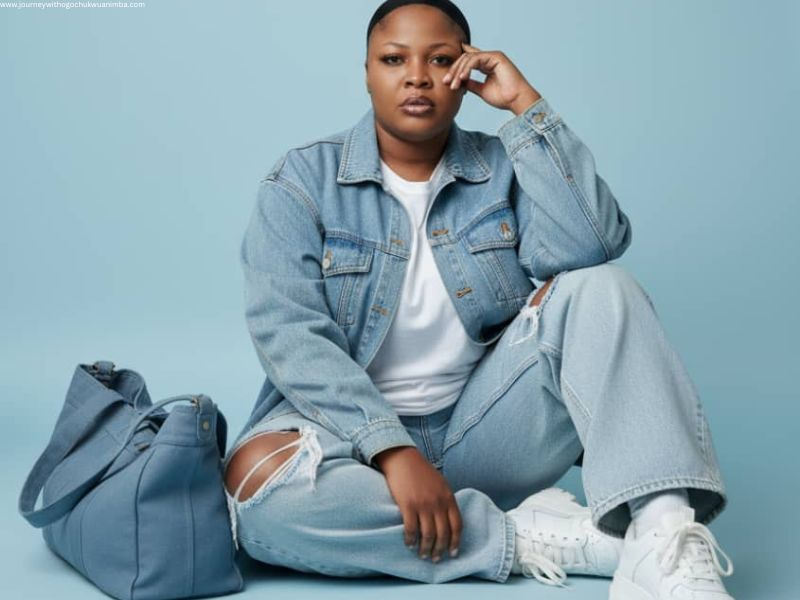
Do you have a plan of snapping a studio picture but there is no money for that? My love, relax, I have good news for you. You can now have stunning pictures of yourself without spending a single kobo. With Nano banana Ai, you can create Ai pictures of yourself that look like they were taken in a professional studio.
Nano Banana AI is an easy-to-use online tool that uses artificial intelligence to turn your simple selfie into a beautiful, realistic and eye-catching photo. You don’t need a camera or a photographer, just upload your picture and let the AI work its magic.
AI tools like this help people create lovely profile photos, artistic images or even cartoon-style portraits in seconds. In this post, I’ll show you step by step how to use Nano Banana AI to make your own stunning AI picture quickly and easily.
What is Nano Banana AI?
Nano banana AI is an online tool that helps you create AI pictures of yourself in just a few minutes. It uses artificial intelligence to turn your normal selfie into a beautiful and realistic image. Whether you want a studio-style photo, a cartoon version, or a fantasy look, Nano Banana AI can do it all for you — quickly and easily.
One of the best things about Nano Banana AI is how simple it is to use. You don’t need to be a photo editor or a tech expert. Just upload your picture, choose your favorite style, and the tool will create your AI photo automatically. It gives you clear, colorful, and professional-looking results that can be used for your social media profile, YouTube thumbnail, or blog image.
Nano Banana AI also offers both free and paid options, so anyone can try it. What makes it special is its fast speed, realistic results, and the wide range of photo styles you can choose from. Unlike other AI photo tools, Nano Banana AI focuses on quality and ease — giving you stunning pictures that look like real studio shots without the cost or stress.
Why Create an AI Picture of Yourself?
There are many fun and creative reasons to create AI pictures of yourself using Nano Banana AI. It’s not just about having a photo — it’s about expressing your style, personality and creativity in a new way.
First, you can use AI pictures for fun or to make your social media profile look more attractive. With Nano Banana AI, you can create pictures that look like studio photos or even transform yourself into a cartoon, model or fantasy character. These eye-catching images help your profile stand out on platforms like Facebook, Instagram or TikTok.
Second, AI pictures are perfect for creative projects and digital art. You can use them for blog posts, YouTube thumbnails or story covers without needing a professional photographer.
Finally, for professionals like YouTubers, bloggers and content creators, AI photos make your work look more polished and modern. You can even see yourself in different styles — classic, futuristic or animated, all with one tool. With Nano Banana AI, you can easily create unique and stunning pictures that show your best version to the world.
Step-by-Step Guide to Creating a Stunning AI Picture
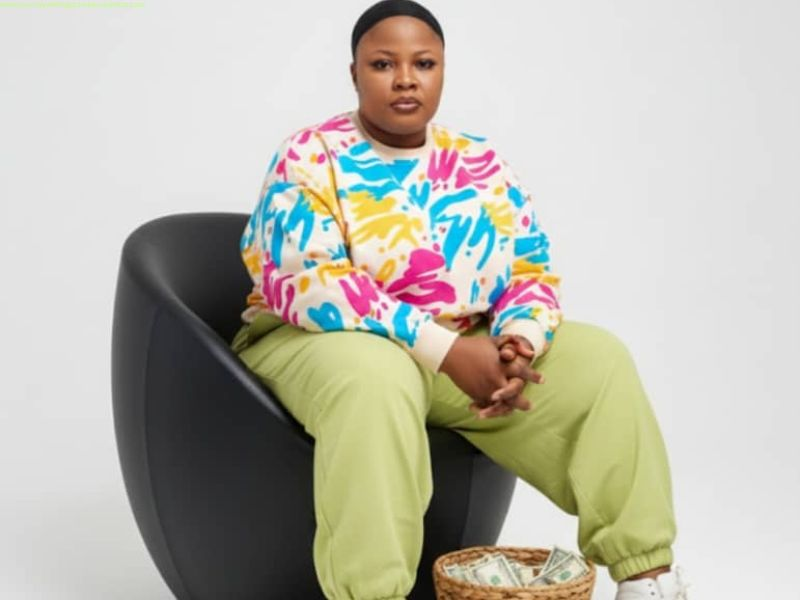
Creating a beautiful AI photo is very easy with Nano Banana AI. Just follow these simple steps to create AI pictures of yourself and get amazing results in minutes.
Step 1: Go to the Nano Banana AI website or open the app on your device.
Step 2: Sign up or log in if it asks you to create an account.
Step 3: Upload a clear selfie or portrait photo. Make sure your face is bright and not blurry.
Step 4: Choose a picture style or prompt you like — for example, “Pixar style,” “Realistic portrait,” or “Fantasy look.
Step 5: Adjust any settings if available, such as background, color, or lighting. This helps make your AI picture look even better.
Step 6: Click on the Generate button and wait a few seconds while the tool works its magic.
Step 7: When your AI picture is ready, download it or share it on social media.
That’s it! You’ve just used Nano Banana AI to create a stunning and professional-looking AI photo of yourself with no editing skills needed.
Tips to Get the Best Results
If you want to create AI pictures of yourself that look clear and beautiful, you need to follow a few simple tips. These small steps can make a big difference in how your final AI photo turns out.
First, always use a bright and clear selfie. Make sure your face is well-lit and easy to see. Natural light is the best — try standing near a window or in a bright room. Also, use a plain background so the AI can focus on your face and not get confused by other objects behind you.
Second, avoid using group photos or blurry images. Nano Banana AI works best when it can clearly detect one face at a time.
Third, don’t be afraid to try different prompts and styles. You can test options like cartoon, fantasy, or professional portrait to see which one looks best on you.
Lastly, keep experimenting! The more you play with Nano Banana AI, the more unique and creative your results will become. Each photo gives you a new way to see yourself in a fun and exciting way.
Common Mistakes to Avoid
When you want to create AI pictures of yourself using Nano Banana AI, there are some common mistakes you should try to avoid. These small errors can affect the quality of your final image and make it look less clear or realistic.
The first mistake is uploading low-quality photos. If your picture is dark, blurry, or too small, the AI tool will not be able to create a good result. Always use a bright and clear selfie where your face is easy to see.
The second mistake is using too many confusing prompts or descriptions. When you add too many ideas at once, the AI might get mixed up and create something that doesn’t look like you. Try to keep your prompts simple — for example, “realistic portrait” or “Pixar-style art.”
The third mistake is ignoring copyright or usage terms. Make sure you read and follow Nano Banana AI’s rules before using or sharing your images. This will help you stay safe and protect your content online.
By avoiding these mistakes, you’ll get better, more stunning AI pictures every time you use Nano Banana AI.
Final Thoughts
Now that you’ve learned how to create AI pictures of yourself using Nano Banana AI, it’s time to give it a try! This amazing tool is not just for tech experts — anyone can use it. Whether you want to make fun pictures for your social media, design creative art, or create beautiful profile photos, Nano Banana AI makes everything easy.
With just one selfie, you can turn yourself into a cartoon, a model, or even a fantasy character. The results are so realistic and stunning that people might think you went to a professional photo studio. It’s a perfect way to express your creativity, explore new looks, or simply have fun seeing yourself in different styles.
AI pictures are also great for YouTubers, bloggers, and content creators who want eye-catching thumbnails, banners, or blog visuals. Instead of spending money on photo shoots or graphic designers, Nano Banana AI helps you create beautiful images in just a few seconds.
If you love art and creativity, you’ll enjoy experimenting with different prompts, colors, and photo styles. Every result feels like a new version of you — brighter, more creative, and full of personality.
So, don’t wait any longer. Visit Nano Banana AI today and start creating your own amazing AI pictures. Play around with different styles, have fun, and see what makes you shine the most.
Try it today and see your stunning AI version in seconds.
you may also like: